slide5_1.tiff
Copyright OpenHelix. No use or reproduction without express written consent
12
Galaxy Interface Sections
向右箭號: Get Data
Get Data
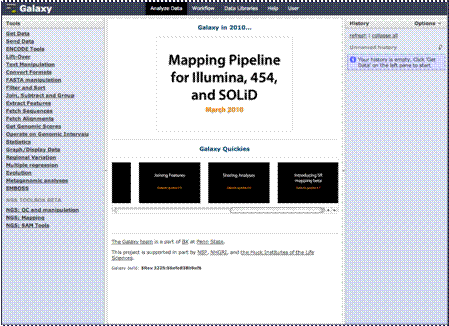
The interface to the Galaxy straightforward. There are three sections. The left column contains links to the downloading, preparation and analysis tools. The center column is where the menus and data will appear. The right hand column will show you the history of your analysis steps, allow you view data and results, and more.

Let’s do a really quick sample step of obtaining data to give you an idea of how the interface works. In the next section we’ll be explaining more about getting data and the types of data you can obtain, but for now we’ll be doing this just to give you an example.

Click the link that says “Get Data.”