|
|
|
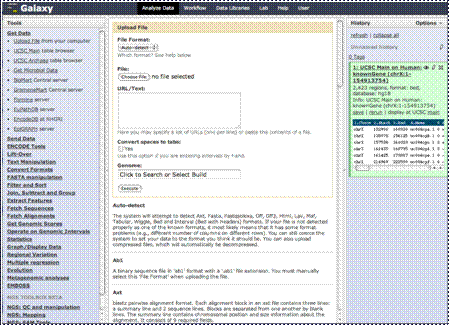
You can also upload
your own data.
|
|
|
|
I’ve prepared a data
set of chromosomal locations on the “X” chromosome in the “interval” format
as an example. This format is basically a listing of chromosomal locations or
intervals in a tab delineated text format, each row having specific purposes
(the first being the chromosome, second and third the start and end position,
etc). We’ll look at that a bit closer later in this tutorial. We’ve included
a copy of this file on our download site at the URL shown if you wish to try
this also. There are many other formats you can upload in. To see an
explanation of the formats and how they are built, just scroll down on this
page.
|
|
|
|
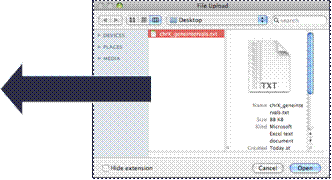
To upload your file,
you’ll either paste the contents of your file into the window here, or click
the browse button here and find the file on your computer. Here I’ve found
and uploaded a file from my desktop.
|
|
|
|
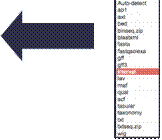
You’ll then choose
which file format the file is in. In this case it is in the interval format,
but as you see there are many other possible formats. You can also choose
“Auto-detect”, which works pretty well to determine the format of a data file
if you are not quite sure of the format, or even if you just don’t want to
look for the format type on the list.
|
|
|
|
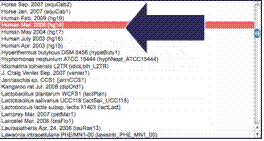
Once you’ve chosen
the file format, you choose which species the data has been obtained from.
There are many to choose from. Ours is from Homo sapiens, so that is
what we will choose.
|
|
|
|
Then click
“Execute.”
|