slide22_1.tiff
Copyright OpenHelix. No use or reproduction without express written consent
22
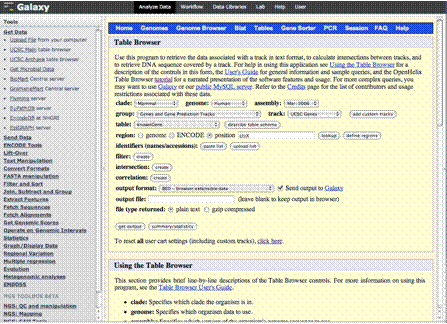
Getting Data: UCSC Table Browser

向右箭號: Get Output
Get Output
clade: Mammal
genome: Human
assembly: Mar. 2006
group: Genes and…
track: UCSC Genes
table: knownGene
region: position, chrX

Output format:
BED, and check
Send output to
Galaxy
The Table Browser Interface will now appear.

We are going to get known gene data from the human X chromosome. To do so, we’ll just choose the right data set: Human genome assembly “Mar. 2006” and the “UCSC Genes” dataset from the “Genes and Gene Prediction Tracks” group.

We’ll put the position “chrX.”

Leaving all the rest as default, including the output format as BED and the “Send output to Galaxy” checkbox checked, we’ll click the link “Get Output.”