Copyright OpenHelix. No use or
reproduction without express written consent
43
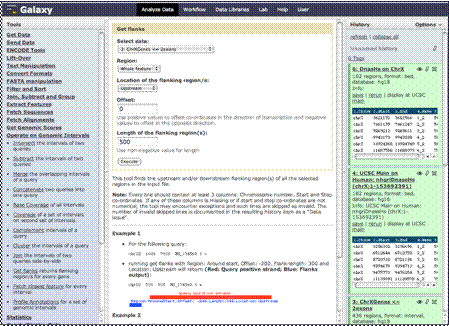
Analyzing Data: Flanking regions
500
Execute
Once you click that
link you will be presented with the form here. Choose the dataset from which
you want to obtain flanking regions. Ours is the one we earlier obtained from
the UCSC Table Browser, filtered and renamed.
We leave the region
from which we want flanking regions at the default “Whole feature,” (we could
have alternatively asked for flanking regions of exons or introns, etc.) and
we’ll leave the location of the flanking region as “Upstream” (alternatively
we could have chosen “Downstream”). We’ll also leave the “Offset” as default.
We will choose to
return a flanking region of 500 base pairs here.