
slide53_1.tiff
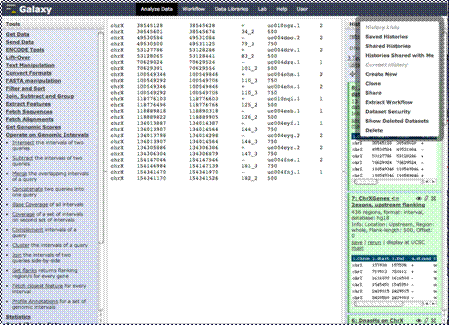
List saved histories and
shared histories.
Work on Current History,
create new, clone, share,
create workflow, set
permissions, show deleted
datasets or delete history.
Copyright OpenHelix. No use or reproduction without express written consent
75
Histories
The ability to save and share histories and queries is a very useful and important feature of Galaxy, that allows the user to collaborate and, importantly, reproduce computational analyses on biological data.

In the options, you’ll see the ability view saved and shared histories and to share that history with another registered user. The user would then be able to view the history, perform or modify the analysis. There are many other options here as well including deleting, starting and changing permissions on histories.