

Copyright OpenHelix. No use or
reproduction without express written consent
53
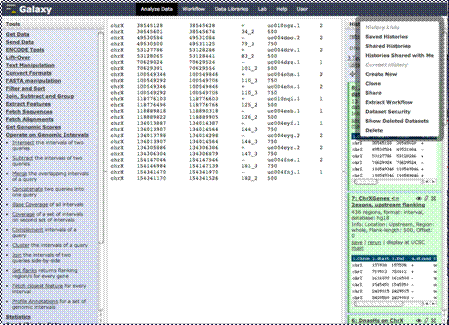
History: History Options
List saved histories and
shared histories.
shared histories.
Work on Current History,
create new, clone, share,
create workflow, set
permissions, show deleted
datasets or delete history.
create new, clone, share,
create workflow, set
permissions, show deleted
datasets or delete history.

List saved histories