Copyright OpenHelix. No use or
reproduction without express written consent
63
Workflow: Workflow Layout
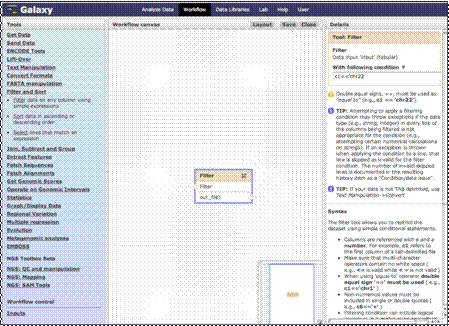
As you see, the
Filter step is added to the canvas. The details and parameters of the filter
are shown in the right column. We are going to leave this filter on column 1
for genes on chromosome 22.
We will need to
prompt the user for a data input. We can do that here by clicking “Inputs.”